June 9, 2026
Building a showing schedule that doesn’t eat your week
By Alex Burton
Here’s a Tuesday that every property manager recognizes. You have four units going vacant in the next 30 days. Your phone has 11 unread texts from prospects. Two of them are asking about the same Saturday slot you already gave to someone else. One inquiry came in at 9 p.m. last night and the prospect has already moved on. You haven’t confirmed anyone yet because you’re still trying to figure out when your leasing agent is free.
That isn’t a bad day. For most managers running 50 or more units, that’s a normal Tuesday.
Rental showing scheduling is one of the most time-consuming parts of leasing, yet most teams still treat it as a manual coordination task. It doesn’t have to be. The managers who’ve stopped drowning in it aren’t doing more work. They’ve built a different structure.
Here’s how to build one.
Why showing coordination breaks down at scale
One unit, one leasing agent, and one available time slot: easy. Add five concurrent vacancies, a shared calendar, two agents with different availability windows, and prospects who only respond after 7 p.m., and the system collapses fast.
The core problem isn’t volume. It’s that most showing workflows depend on real-time human coordination. Someone has to check availability, reply to the prospect, confirm the slot, send reminders, handle the reschedule request, and then update the calendar when the tenant no-shows anyway. Every one of those steps is a handoff point where things fall through.
That’s before you account for the leads who ghosted because you didn’t reply within the hour they expected. Research consistently shows that responding to rental inquiries within 24 hours dramatically improves conversion — every hour of delay is a lead actively texting your competitor.
The framework: structure your leasing calendar around blocks, not requests
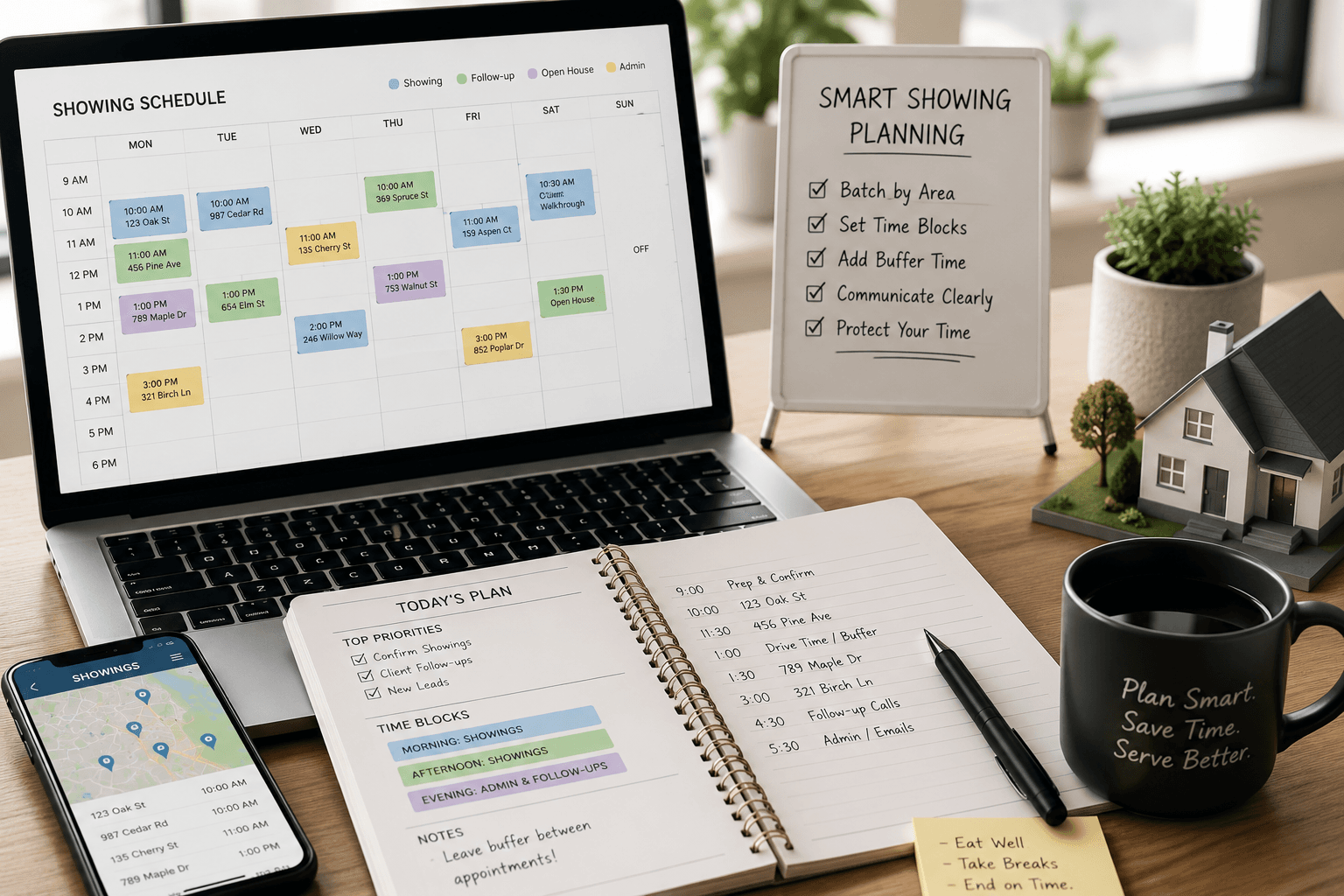
The first shift most property managers resist is moving from reactive scheduling to proactive scheduling. Instead of fitting showings around whenever a prospect asks, you define showing windows in advance and let prospects pick into those windows.
This sounds obvious. Most managers know it conceptually and still don’t do it because it requires saying no to off-hours requests. But the tradeoff is worth it.
Step 1: Define your showing blocks
Choose 2–4 blocks per week, per property. For most urban markets, Tuesday/Thursday evenings (5–7 p.m.) and Saturday mornings (9 a.m.–noon) cover the majority of serious renters. Mid-day weekday slots work for remote workers and retirees.
The goal is predictability: your leasing agent knows exactly when they’ll be at which property, your current tenants get proper notice, and your prospects self-select into slots without requiring back-and-forth.
Step 2: Build buffer time into every slot
Scheduling 15-minute showings back-to-back sounds efficient. In practice, a showing that runs long, a prospect who arrives late, or a unit that needs a quick tidy before the next person walks in will collapse your whole afternoon. Build 10–15 minute buffers between every appointment.
This is the kind of setting property showing automation tools handle natively. You set the duration and buffer once. The system enforces it on every booking without you manually policing the calendar.
Step 3: Use pre-qualification before a showing slot is released
One of the fastest ways to reduce wasted showings is to screen before you schedule. Not a full background check, but a short set of qualifying questions: move-in date, budget, household size, income. If the prospect doesn’t qualify on paper, they shouldn’t be booking a showing that takes up a slot a qualified renter needs.
This step alone can cut the no-show and low-quality-showing rate significantly. When your leasing calendar management system connects prequalification to the booking flow, only prospects who’ve passed your filters ever see your availability.
How property showing automation changes the daily workflow
Once you’ve set the structure, automation handles the execution. Here’s what that looks like in practice:
| Manual workflow | Automated workflow |
|---|---|
| Prospect emails. You reply in hours (or miss it). | Prospect completes prequalification. System sends availability immediately. |
| You check calendar manually and suggest a time. | Prospect self-books from your real-time available slots. |
| You send a confirmation email. | System sends confirmation with address, parking info, and entry instructions. |
| You remember to send a reminder (or you forget). | System sends reminders at 24 hours and 2 hours before the showing. |
| Prospect no-shows. You rebook manually. | System detects the no-show and can trigger a follow-up or release the slot. |
The agents and managers who’ve made this shift report getting back 10–15 hours per week on showing coordination alone. The time doesn’t disappear; it moves toward actual leasing work: reviewing applications, qualifying tenants, and managing relationships.
Reducing no-shows: what actually works
No-shows are the most expensive part of a broken showing schedule. You’ve cleared time, the unit is prepared, and no one arrives. The vacancy clock keeps ticking.
A few things actually move the needle here:
Confirmation sequences work. A single reminder the morning of does less than a sequence. Send a confirmation at booking, a reminder 24 hours out, and a final check-in 2 hours before. Each message should include the address, a photo of the unit, and a one-click reschedule option. Make canceling easy. You’d rather have 30-minutes notice than a ghost.
Require re-confirmation. For high-no-show periods (Fridays, late afternoons), require the prospect to actively confirm within 12 hours of the appointment or the slot auto-releases. This filters out low-intent prospects without any manual effort.
Pre-screened prospects no-show less. This is consistent across the data. When someone has invested time filling out a pre-qualification form, they’ve signaled intent. Tire-kickers don’t bother with forms.
If you’re managing a portfolio with multiple active vacancies, it’s worth reviewing how your deal pipeline and lease management connects to your showing calendar. Properties moving through a structured deal flow have fewer drop-offs and faster close rates than those managed through disconnected spreadsheets and email threads.
Coordinating showings across agents: the multi-person problem
If you’re managing leasing agents or coordinating with outside listing agents, showing coordination gets harder fast. Two agents, no shared calendar, and you end up with double-bookings, missed handoffs, and agents showing up to units neither of them prepared.
The fix requires three things:
- A single shared leasing calendar (not three overlapping Google Calendars)
- Clear rules on who owns scheduling for which properties
- A system that pushes confirmations and reminders to both the agent and the prospect
The Agent Hub handles the multi-agent coordination problem directly: agents see their assignments, prospects book into agent-specific availability, and the property manager retains visibility across the whole calendar without becoming the central dispatcher for every reschedule request.
The showing schedule as a vacancy reduction tool
Here’s the framing shift that changes how teams think about showing schedules: your rental showing scheduling system directly impacts how long units sit vacant.
Every day a unit sits empty costs money. Faster lead response means more showings booked. Better showing coordination means fewer no-shows. Structured slots mean the unit gets proper attention instead of ad-hoc visits scattered through the week. Pre-qualified prospects mean higher conversion from tour to application.
Put it together and the math on automation becomes very clear: a team managing 80 units that reduces average vacancy by even four days per unit per year is looking at a substantial impact on revenue. The showing schedule isn’t administrative overhead. It’s a leasing performance lever.
What a well-built showing schedule actually looks like
To make this concrete, here’s what a well-structured showing week looks like for a two-agent team managing 75 units:
Sunday:
- System sends the week’s vacancy and showing availability to the team
- Any leads from the weekend are queued for Monday review
Monday:
- Prequalification responses from the weekend are reviewed (15 minutes)
- Qualified leads have already self-booked into Tuesday and Thursday evening slots
- No manual scheduling required
Tuesday/Thursday evenings (5–7 p.m.):
- Two showing blocks, 30-minute slots with 10-minute buffers
- System sent reminders at 24 hours and 2 hours
- Agent focuses on showing, not logistics
Saturday morning (9 a.m.–noon):
- Open showing block for same-week leads
- Any no-shows trigger automatic follow-up
Friday:
- Review applications that came in from the week’s showings
- Tenant screening kicks off for applicants who’ve cleared the initial review
The whole week is planned by Tuesday. New leads self-schedule. The agents show. Applications flow in. Nobody’s spending two hours a day confirming appointments.
Common mistakes that make showing schedules worse
Showing windows that are too narrow. If your only slots are Tuesday at noon, you’re excluding working renters. Vary the days and times.
Too many showings in one block. Back-to-back showings for 4 hours burn out your agent and lead to careless walk-throughs. Cap blocks at 3–4 showings.
Not connecting showings to your CRM. If a prospect tours but doesn’t apply immediately, they should stay in your pipeline. A showing that doesn’t convert isn’t a dead lead; it’s a warm contact who might be interested in your next available unit. LeaseHub’s CRM and lead management keeps those contacts organized so nothing slips.
Relying on one calendar for everything. Personal calendar, leasing calendar, maintenance calendar: when they’re all mixed together, conflicts are inevitable. Keep the leasing calendar clean and dedicated.
FAQ
How many showings per day should one leasing agent handle?
Most experienced agents can handle 4–6 showings comfortably, assuming 30-minute slots with 10-minute buffers. Beyond that, quality drops and no-shows become harder to absorb without cascading delays.
What’s the best way to handle same-day showing requests?
Hold a “flex slot” in your showing blocks specifically for same-day or short-notice requests. This lets you accommodate urgency without disrupting the planned schedule.
How do I handle showings when a unit is still occupied?
Coordinate with the current tenant using automated notifications sent at least 24–48 hours in advance. Define specific windows (typically 2–3 hours) when showings are permitted, and build those windows into your booking system rather than asking tenants manually each time.
Should I allow self-guided tours?
For vacant units with reliable lockbox or smart lock access, self-guided tours can extend your showing capacity significantly. They work best when combined with a strong prequalification step, since you’re not present to screen in person.
How do I reduce the back-and-forth with prospects who keep requesting custom times?
The simplest fix is to frame your showing windows as fixed in your listings and inquiry responses. “Showings are available Tuesday and Thursday evenings and Saturday mornings” sets the expectation upfront. Most serious prospects will fit into a structured window; the ones who won’t often don’t convert anyway.